Minimum SharePoint site permissions required: Site Collection Administrator
🔑 Why This Permission Is Needed
When creating Site Columns in a modern Team Site (associated with a Microsoft 365 Group), you must explicitly be a Site Collection Administrator.
This ensures that crawled and managed properties appear correctly in the search schema.
👉 Learn how to set SharePoint permission levels here
🚀 Add Compliance Tracker 365 to a Site
Once Compliance Tracker 365 has been deployed to an App Catalog, you can add it to a specific site:
-
Navigate to the Site Contents page of the site.
-
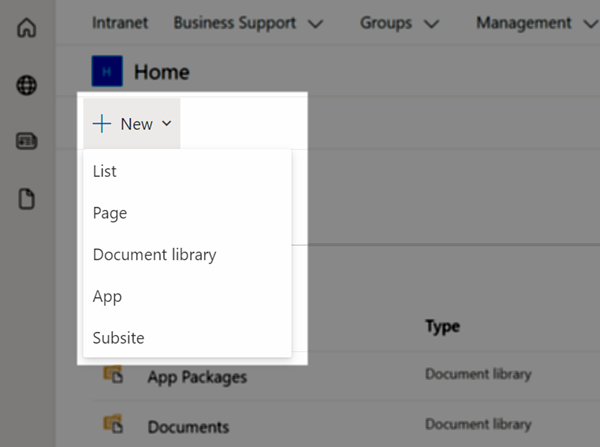
Click the New menu at the top of the page and select App.
-
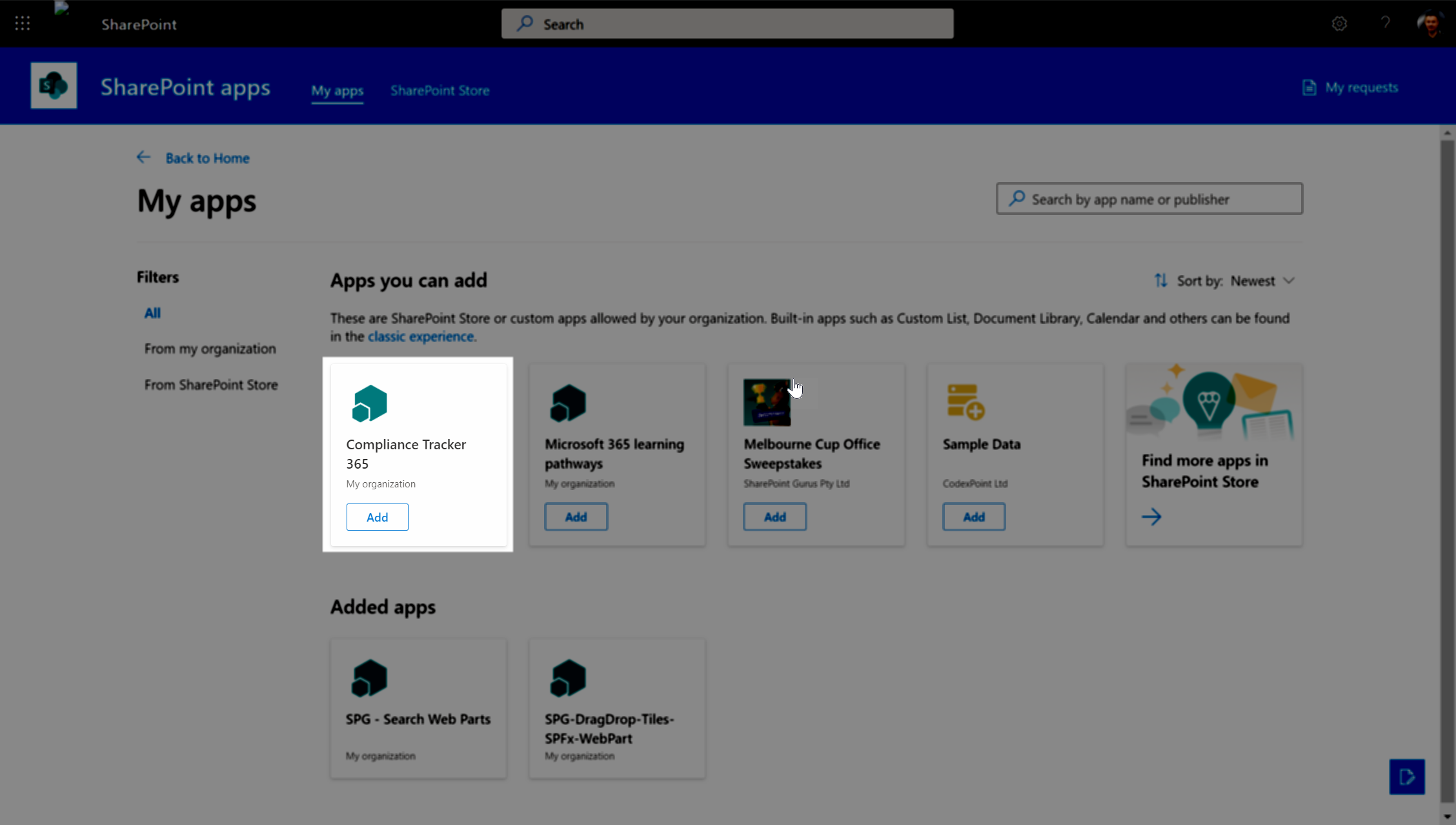
Locate Compliance Tracker 365 in the list of available apps.
-
Click Add.
-
After a short delay, a confirmation message will appear at the top of the page.
-
The button will change to Added.
-
🛠️ Troubleshooting
- If you cannot see the Compliance Tracker 365 app:
- Confirm it has been deployed to either the site collection’s App Catalog or the tenant App Catalog.
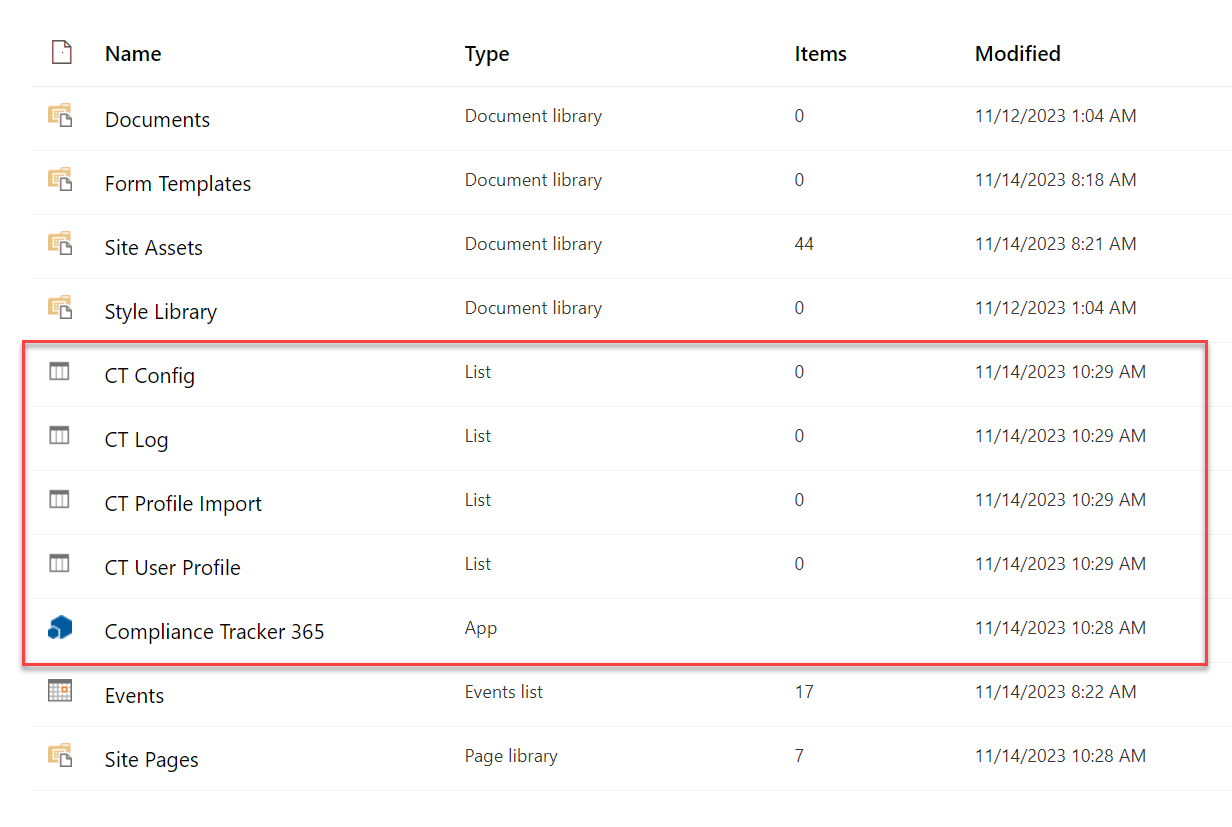
- Verify that the required lists have been created in the site collection before navigating to any page to configure the app.
⚙️ Final Configuration
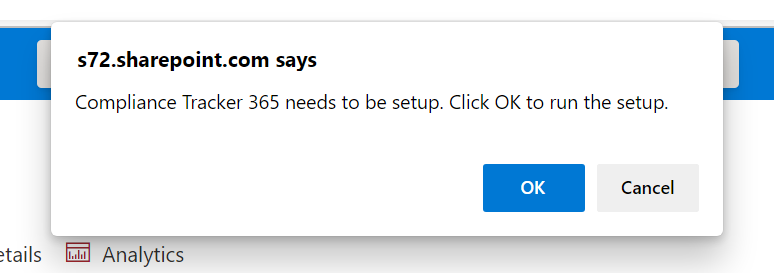
- Return to the Home page to complete setup.
- Once the app is fully deployed, it will redirect to the Management page.
- For new SharePoint sites, a Wait message may appear while the site is indexed by search.
- During this time, you can begin creating targeting Terms and deploy the CT365 Management solution.
✅ After indexing completes, Compliance Tracker 365 will be ready for configuration and use.