Use the Terms tab to select the Term Set that will be used to tag content and assign profiles.
🆕 If this is your first installation, create a new Term Set before continuing.
⚙️ Setup Steps
- In the Terms tab, select the Term Set created earlier.
- Click the tag icon to select a Term.
- Example: Choose the top term, Targeting, then click Update.
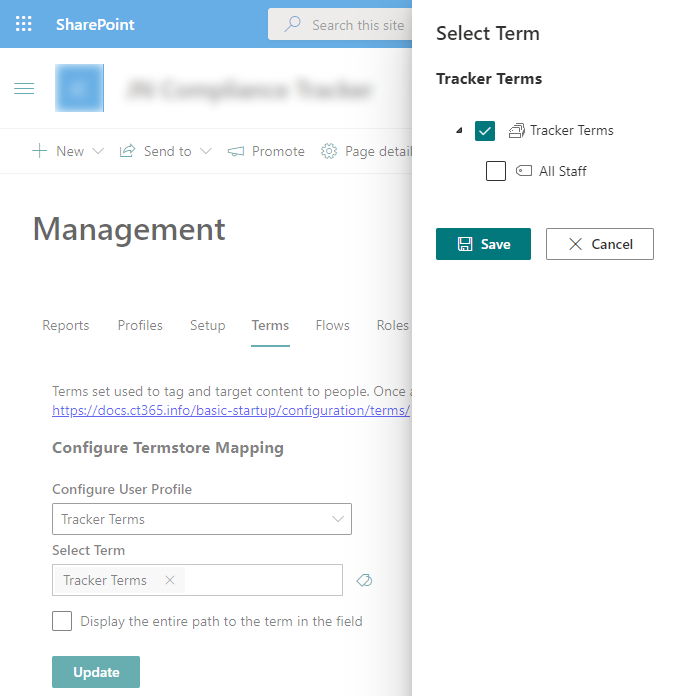
- Example: Choose the top term, Targeting, then click Update.
- (Optional) Enable Display the entire path to show the full hierarchy when using a hierarchical Term Set.
🔒 Important Notes
- Once a Term Set is in use, the option to select a different Term Set is disabled.
- Each site can only be associated with one Term Set.